
Optima in action
From building data to PDF report in 1 minute: payback period and energy savings
Typical clients and partners
What is Optima?
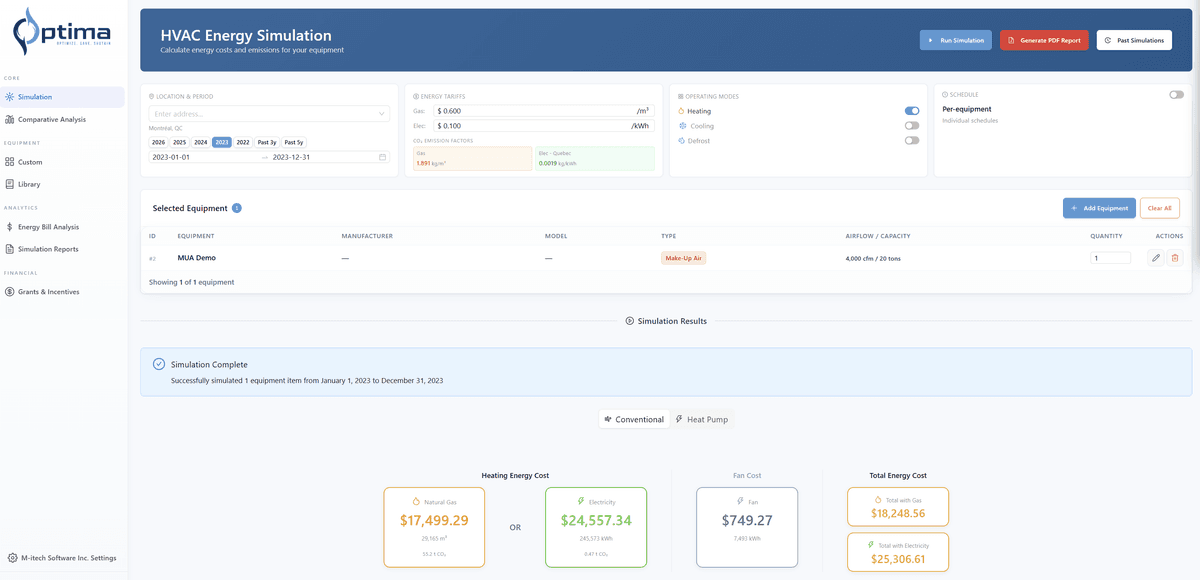
Optima is a cloud platform built for HVAC professionals who need to show clients the real numbers behind equipment upgrades. Enter your building data, run the simulation, and get a professional report with cost comparisons, energy savings, and payback in a few minutes, not days.
Why teams switch to Optima
Prove payback to decision-makers
Every report includes payback period, annual savings, and cost-benefit analysis: the financial data your clients need to approve the project.
Close deals faster
Turn days of manual calculations into a 5-minute simulation. Your clients get the numbers they need to say yes.
Win client trust
Professional reports with validated calculations. No more back-of-napkin estimates that undermine your credibility.
Eliminate costly errors
Automated calculations mean no more rework, no more miscalculations, no more lost deals from bad numbers.
Real weather precision
Hourly weather data year-round for any location worldwide. Simulate by day, week, month, or full year for precise energy calculations.
Secure cloud platform
Work as a team in real time from anywhere. Secure authentication, data encryption, automatic backups, and access control built in.
Simulate → Analyze → Deliver
From cost analysis to client-ready reports: Optima handles the entire workflow.
Simulate
Enter building specs and equipment data. Optima runs the full cost and energy comparison automatically.
Analyze
Get a clear breakdown: energy savings and payback period, the numbers your clients need to approve the project.
Deliver
Export a professional PDF report ready to present. Your client sees exactly why the upgrade makes financial sense.
Simulation results and professional reports in seconds
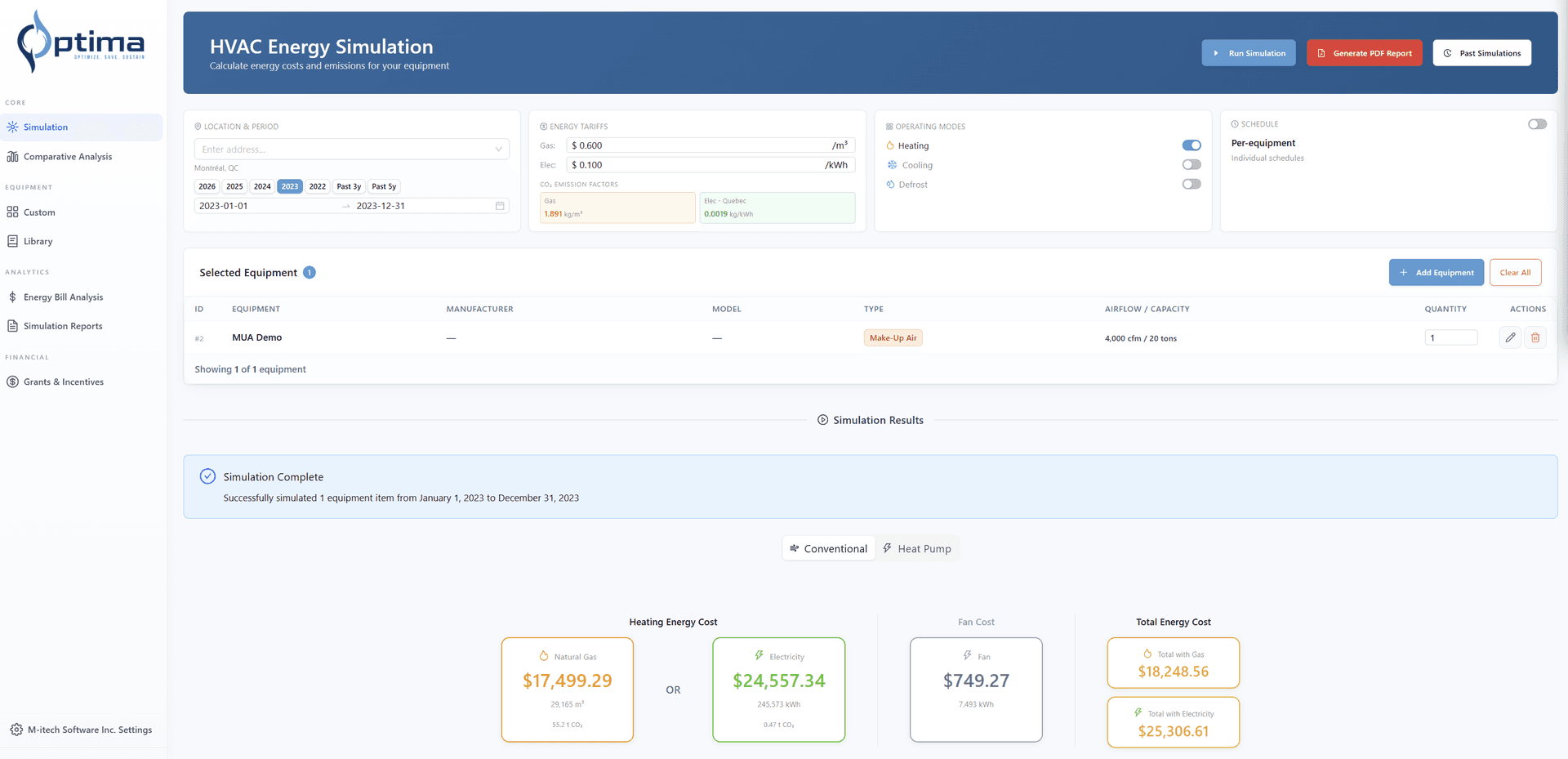
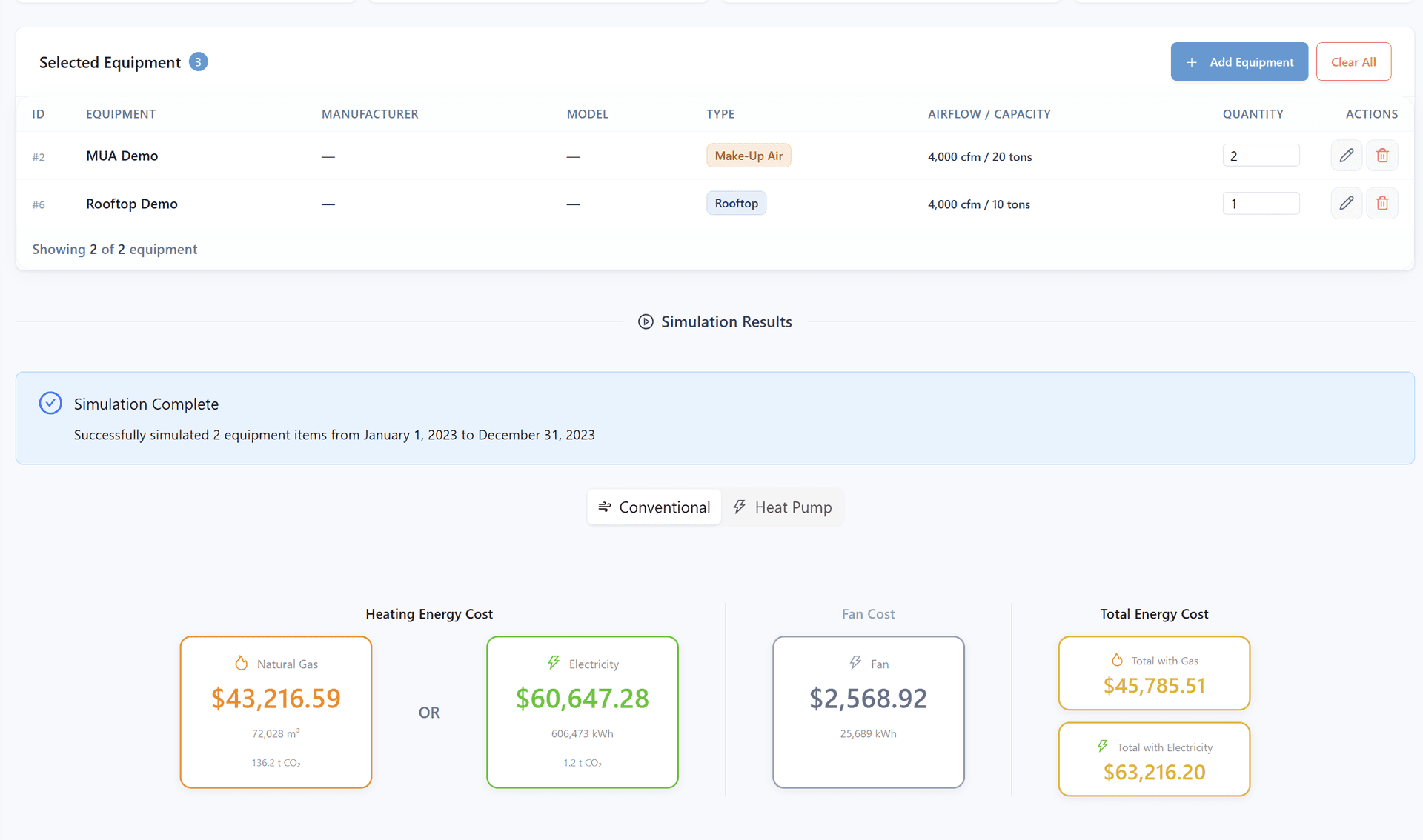
Equipment cost analysis
Automated cost comparison between one or multiple existing equipment and new solutions.
- Gas vs electricity heating costs
- Fan/ventilation costs
- Total energy cost
- CO2 emissions per source
Equipment comparison
Analyze performance between existing and new equipment.
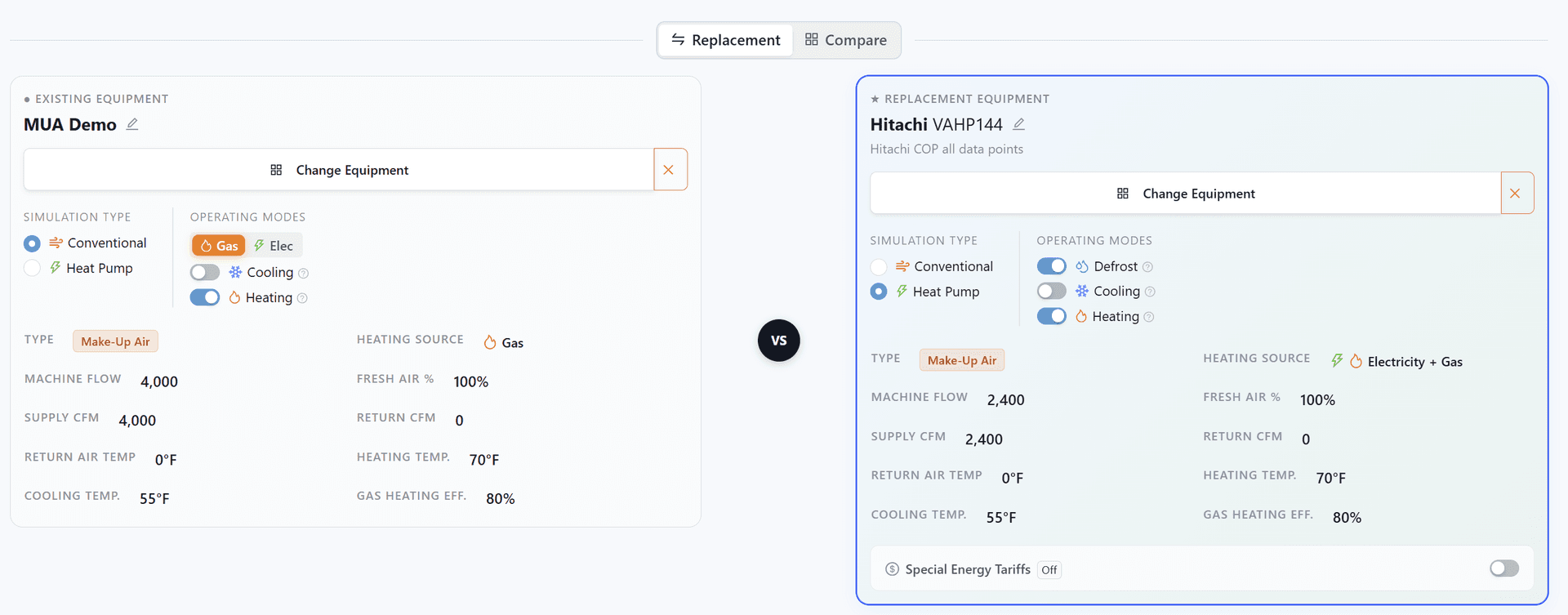
- Existing vs replacement side by side
- Simulation types (conventional, heat pump, dual-energy)
- Operating modes and specifications
- Special energy tariffs
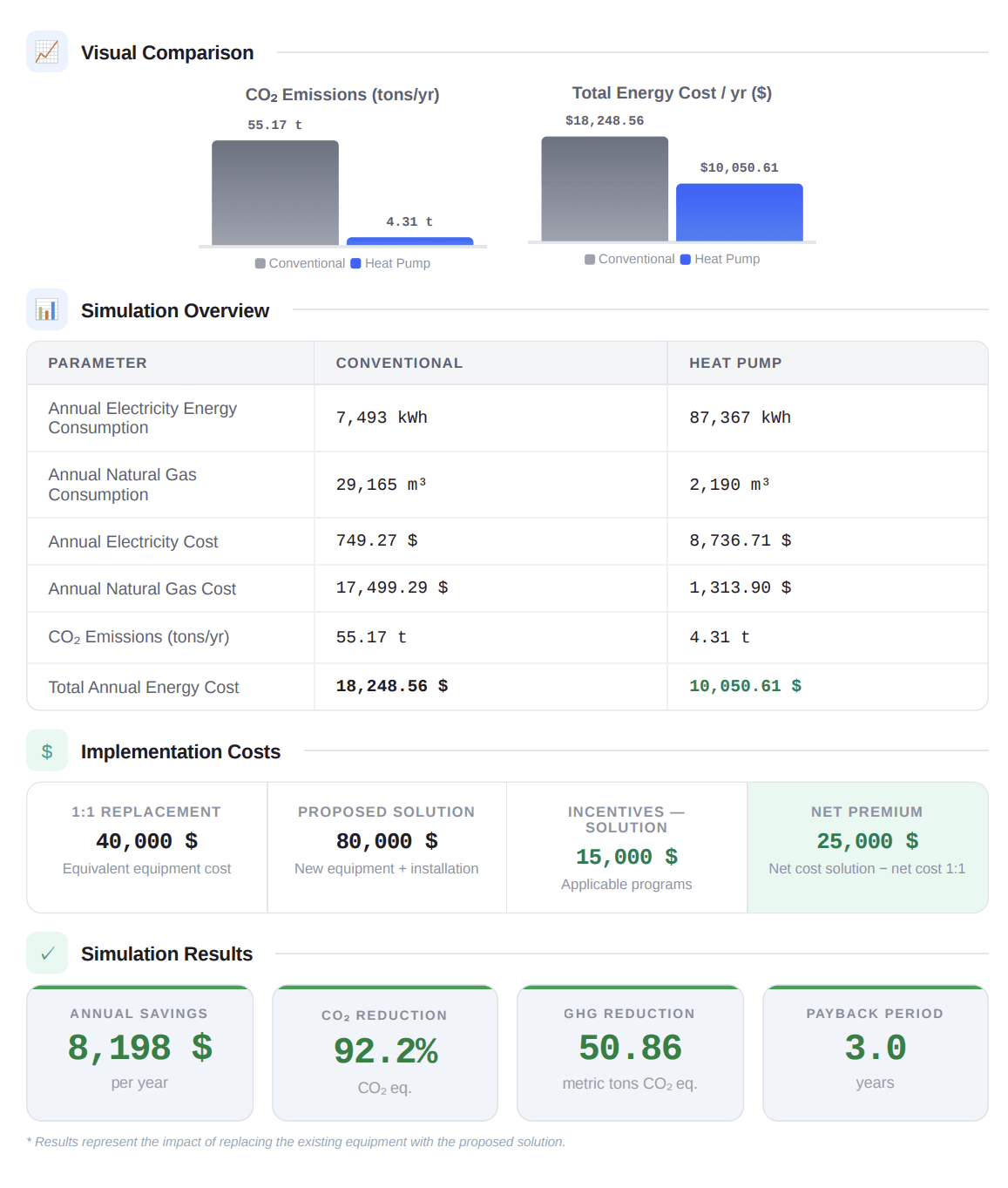
$ saved, payback, CO₂ reduced
Full comparison analysis between equipment: dollars saved, payback period, and CO₂ reduction in one report.
- Annual dollar savings
- CO2 emissions reduction
- Payback period
- Full conventional vs heat pump comparison
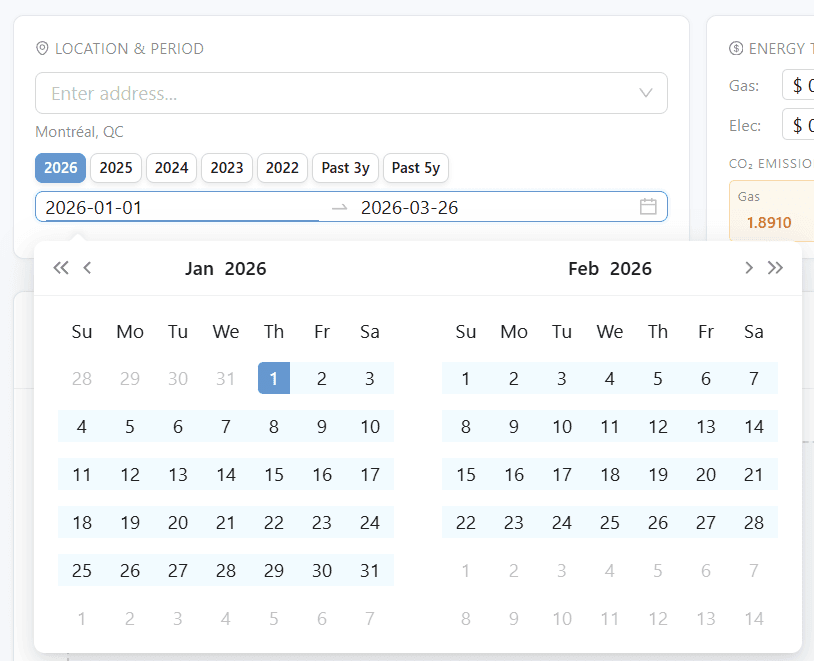
Real weather precision
Hourly weather data year-round for any location worldwide. Precise energy calculations based on actual conditions.
- Any address worldwide
- Real hourly weather data
- Simulate by day, week, month, or year
- Customizable periods
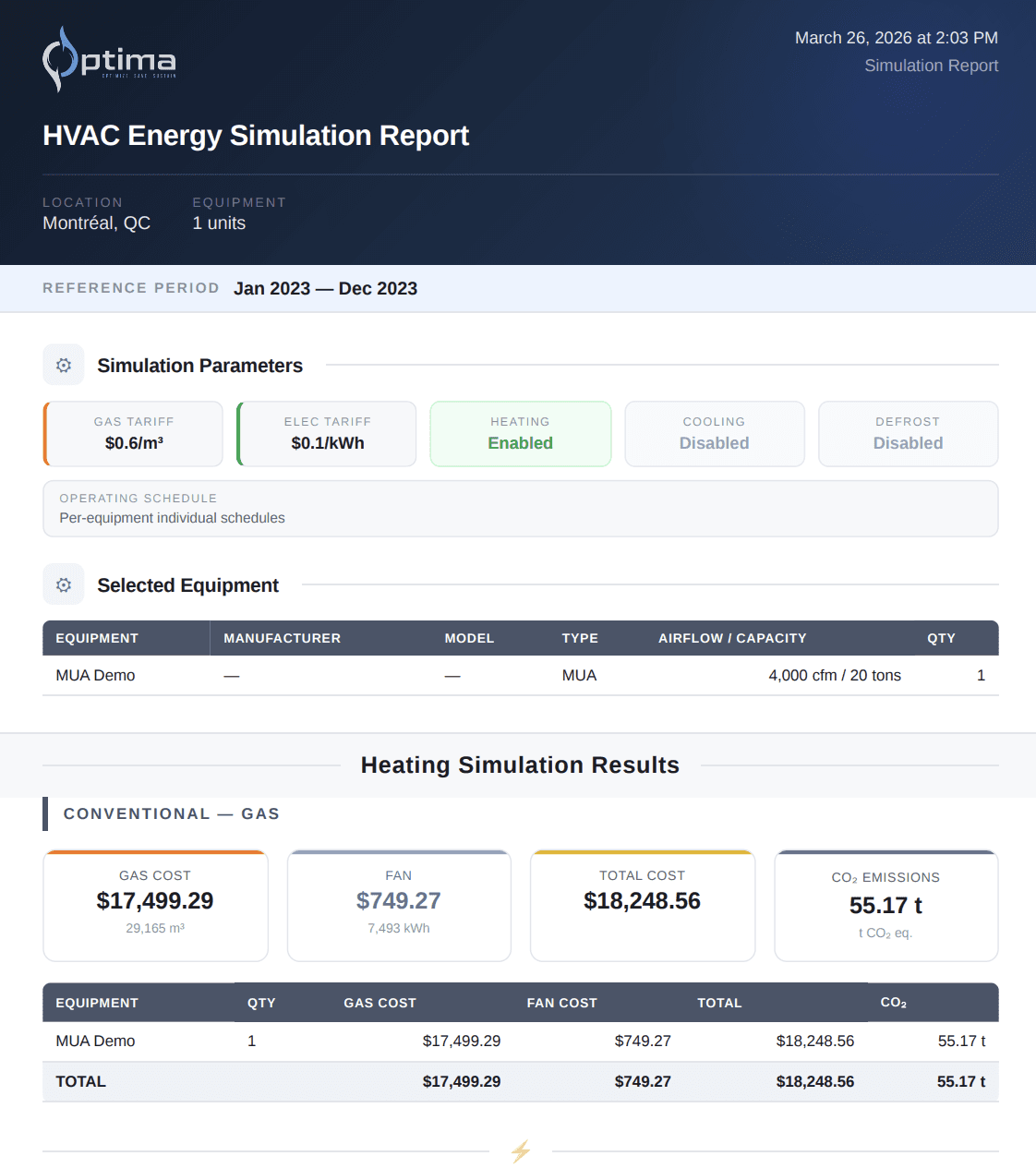
Professional PDF reports
Automatic generation of detailed technical reports.
- Custom reports
- PDF export
- Predefined templates
- Custom branding
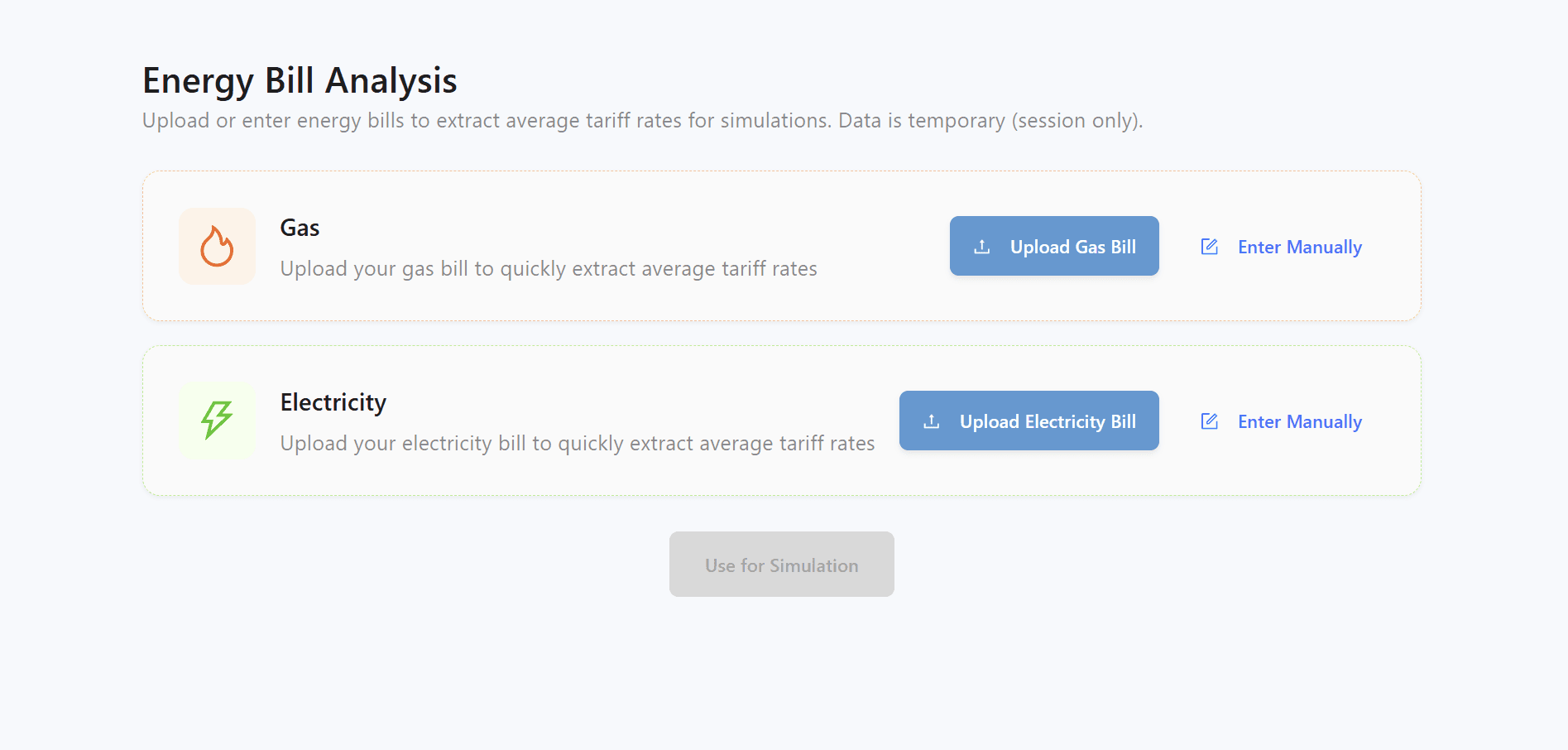
Energy bill analysis
Upload your gas or electricity bill to automatically extract tariff rates for simulations.
- PDF bill upload
- Automatic tariff extraction
- Gas and electricity
- Data fed into simulation
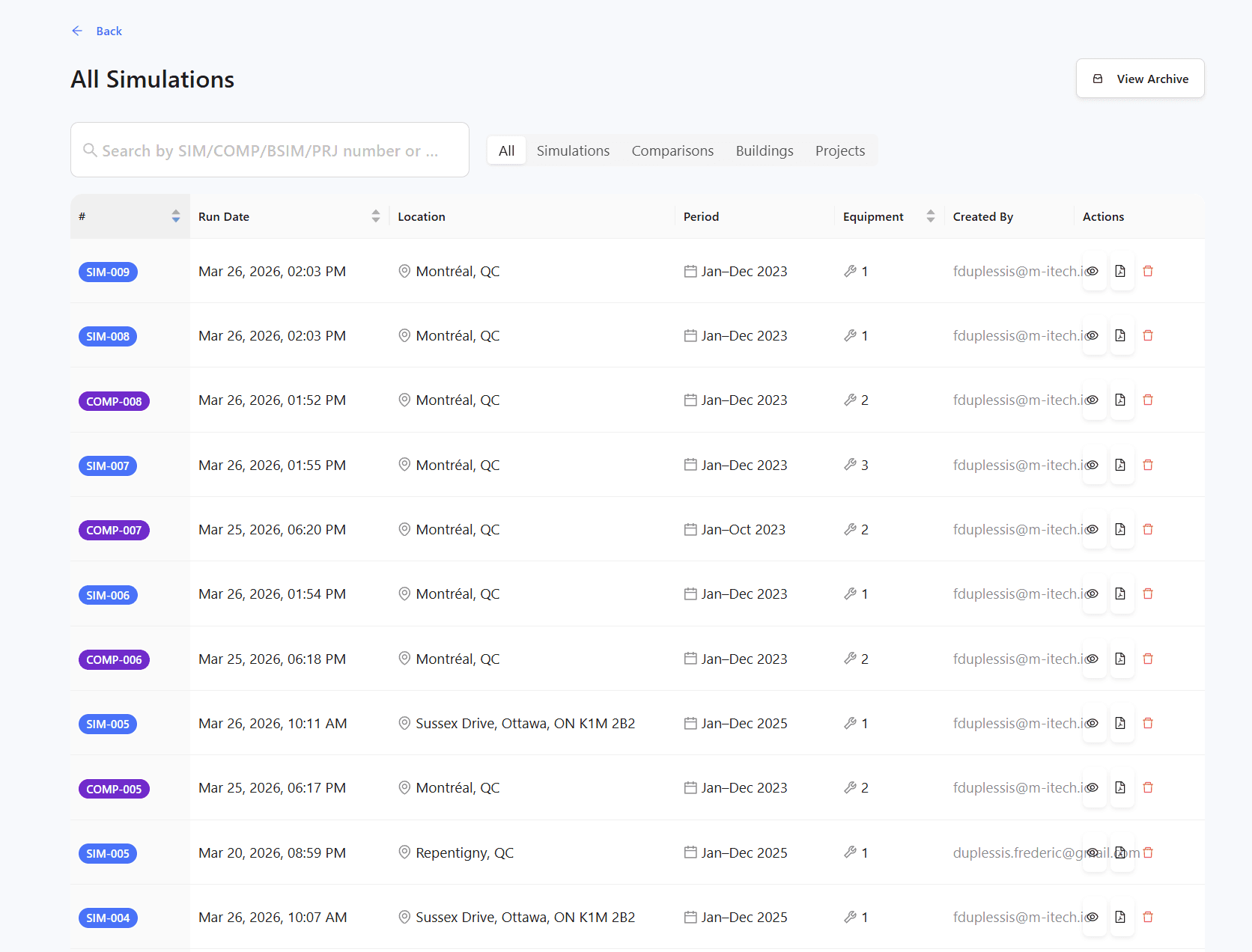
History & audit trail
Complete traceability of all modifications and calculations.
- Automatic versioning
- Change log
- Version restoration
- Regulatory compliance
How it works
Enter your equipment data
Input the existing HVAC equipment specs and operating details.
Configure the replacement scenario
Select new equipment options, energy rates, and project parameters.
Run the simulation
Optima calculates costs, energy savings, and payback period automatically.
Present to your client
Export a professional PDF report with all the data your client needs to approve the project.
Simple and transparent pricing
Choose the plan that fits your needs.
Frequently asked questions
How does Optima calculate the payback period?
What types of HVAC equipment can Optima analyze?
How accurate are the energy savings and payback calculations?
Can Optima compare heat pumps vs conventional gas systems?
How long does it take to generate a cost-benefit analysis?
Is Optima suitable for commercial and institutional buildings?
Ready to show your clients the payback?
See how Optima helps HVAC professionals justify equipment upgrades with precise payback and cost-benefit data.